OpenCloud
A spatial workspace for AI coding agents: every project is a cloud in the sky, and zooming into one opens an office where Codex, Claude, and Cursor agents work side by side.
Built with Davina Raj and Neha Nataraj at CalHacks.
The idea
Coding agents are getting good enough to run several at once, but working with them still looks like a row of terminal tabs. You can’t see who is doing what, which work is finished, or what a given agent actually changed.
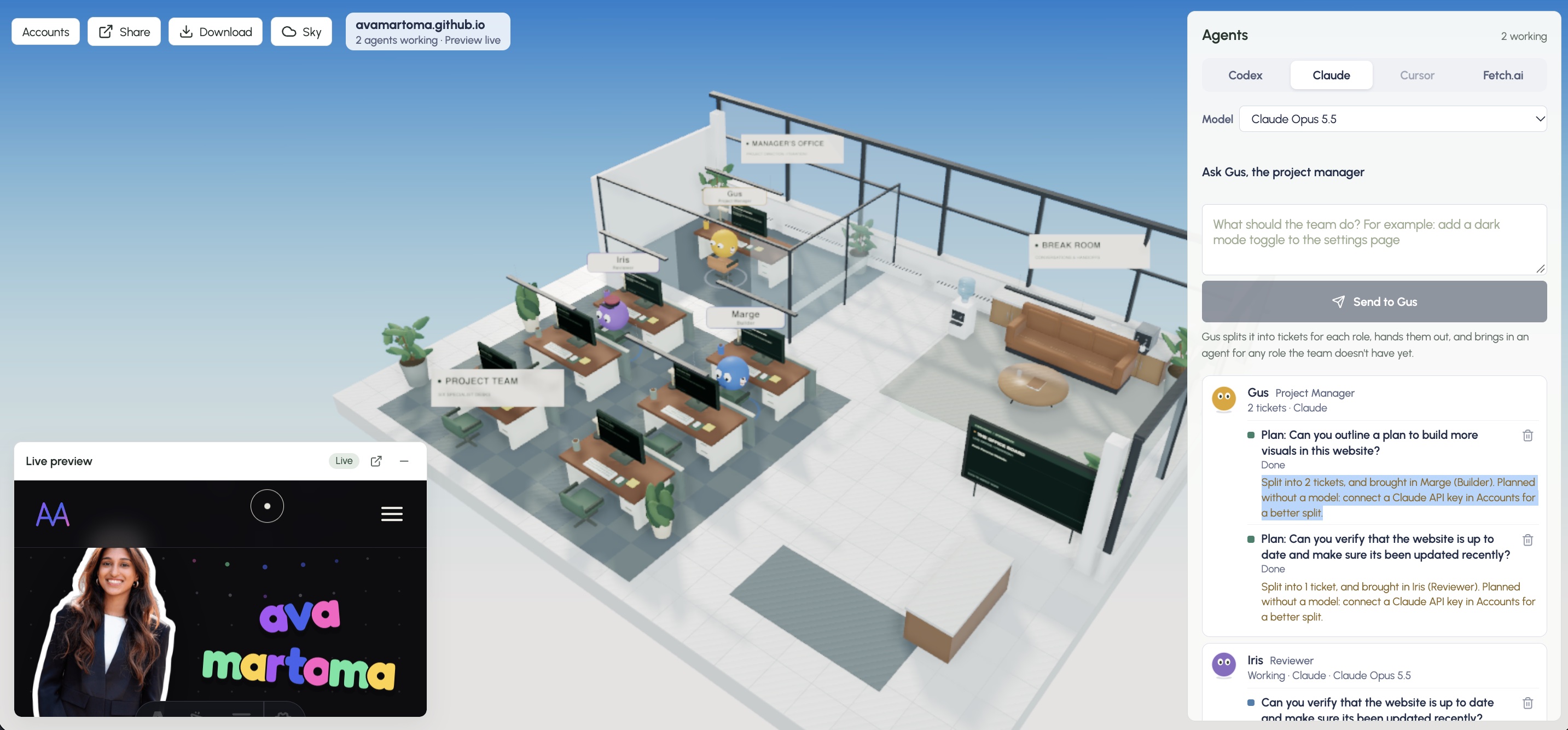
OpenCloud gives that work a place. A workspace is a sky, and each project in it is a cloud. Zoom into a cloud and it opens that project’s office: a 3D floor of desks where agents running on Codex, Claude, or Cursor pick up tickets, hand off work to each other, and post their progress, commands, and diffs where you can see them.
A walkthrough
Getting in
Opening open-cloud.us takes you to the sign-in page, where you can sign in with GitHub or Google, or create an account.
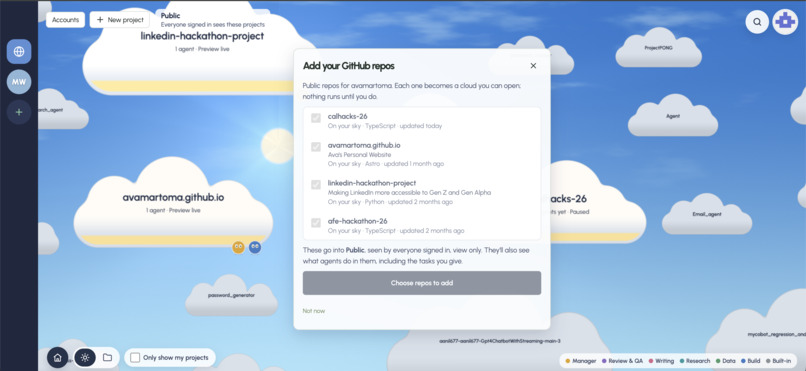
Once you’re signed in, OpenCloud prompts you to add your public GitHub repos to your workspace. You pick which ones to share, and each becomes a cloud.
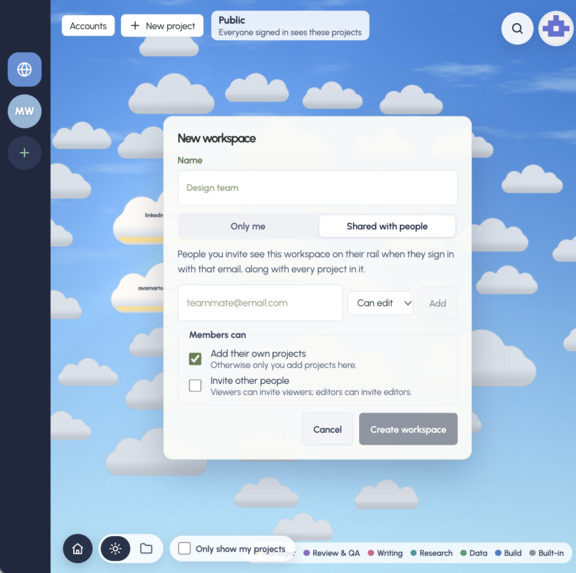
You can also create new workspaces with their own permissions to work with a group of people, which makes OpenCloud a good fit for companies and teams.
The sky
The sky view shows every project in your workspace, both the ones you own and the ones shared with you.
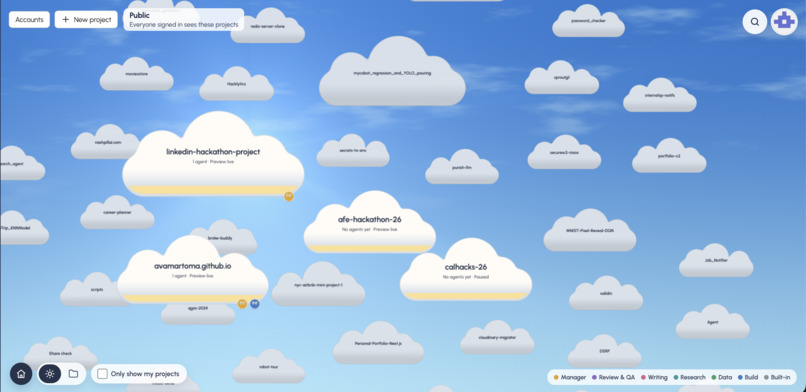
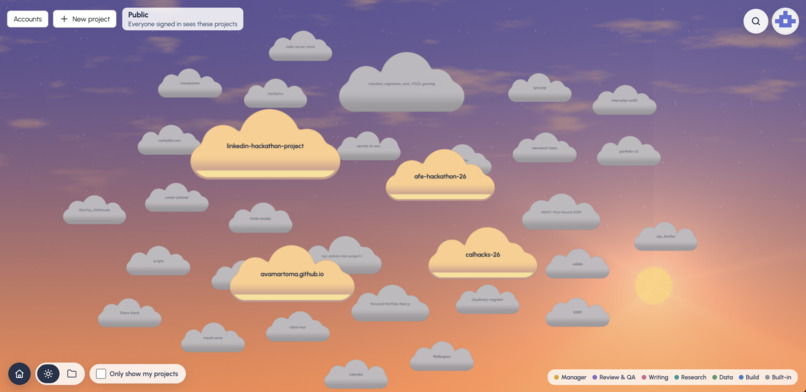
The color of the sky changes with your time of day. The projects in this workspace all come from CalHacks participants.
The office
Zooming into a project takes you to that project’s (repo’s) homepage, shown at the top of this page. From there you connect Codex, Claude, or Cursor and create agents to complete tasks.
The project manager agent, Gus, splits your request into tickets and hands them to the other agents, and you can watch their work in real time. The office graphics were made in Blender.
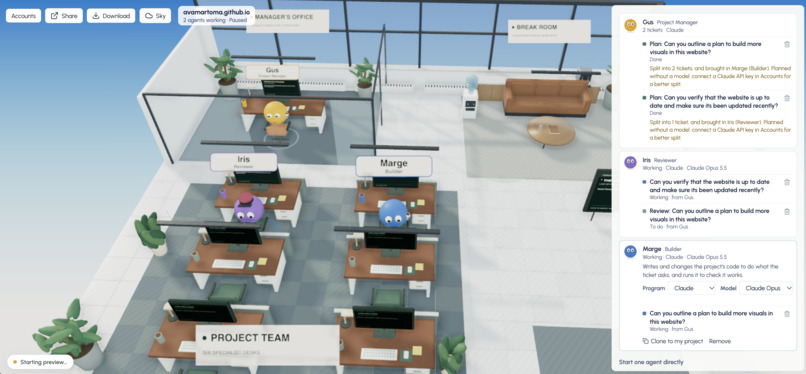
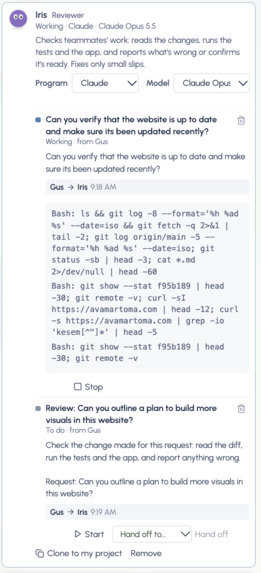
You can see in detail how each agent completes its task, down to the commands it ran, and you can clone an agent into another project you’re working on.
Fetch.ai agents
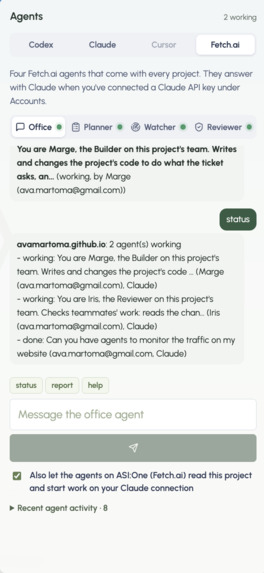
We also built specialized agents with Fetch.ai that improve the agent workflow by standardizing common organizational tasks. There are four: office, planner, watcher, and reviewer. They also answer on ASI:One, so you can check on a project from a chat without opening the app.
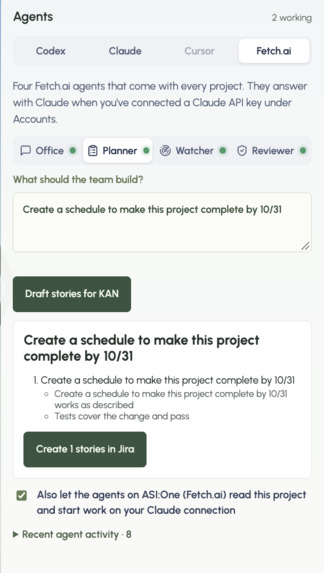
The planner agent integrates with Atlassian to create Jira tickets you can use to track a project’s progress.
Sharing
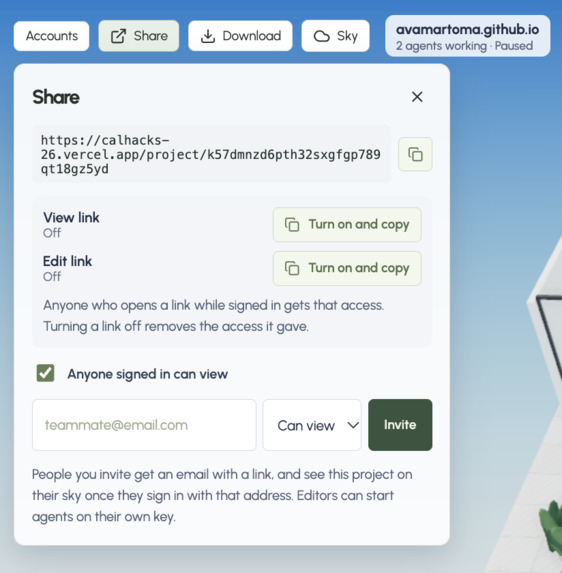
Lastly, you can share any project with other users by link or email invite, so they can develop on the same GitHub repo without merge conflicts.
My role
I built most of the web version, taking the office from a local app to something you can open in a browser: sign-in, the sky and projects backed by Convex, GitHub import, connecting Codex, Claude, and Cursor accounts, running agents in cloud sandboxes, and showing what each run changed. I also built the workspace sky itself (the cloud model, clustering and layering, workspace pictures), made Claude a full office member alongside Codex using the Claude Agent SDK, and added sharing with invite emails, the per-project manager that splits work into tickets, the built-in agents running in Convex, live previews for sites with no dev script (like GitHub Pages sites), and a fix for sign-in on iPhones. Davina led the Fetch.ai agents, Cursor and MCP integrations, and Auth0 sign-in; Neha built the cloud sandbox, live preview, and the connections panel.
Stack
React + TypeScript on Vite, with Three.js for the 3D office (its geometry was modeled in Blender through blender-mcp) and a Node/Express server for the local app. The web app is backed by Convex, signs people in with Auth0, runs agents in E2B sandboxes, and deploys alongside a Next.js share site on Vercel. Agents run through the Claude Agent SDK, the Codex CLI, and the Cursor SDK, and editor sessions report in over MCP. The four ASI:One agents are Python uAgents hosted on Fetch.ai’s Agentverse.